
Overview
Resume Canvas is a modern, open-source resume builder designed to be simple, fast, and privacy-focused. Build your professional resume in minutes with a real-time preview and export it as a high-quality PDF.
Unlike other resume builders, Resume Canvas runs entirely in your browser. Your data never leaves your device unless you choose to share it. No sign-ups, no paywalls, no tracking.
✨ Features
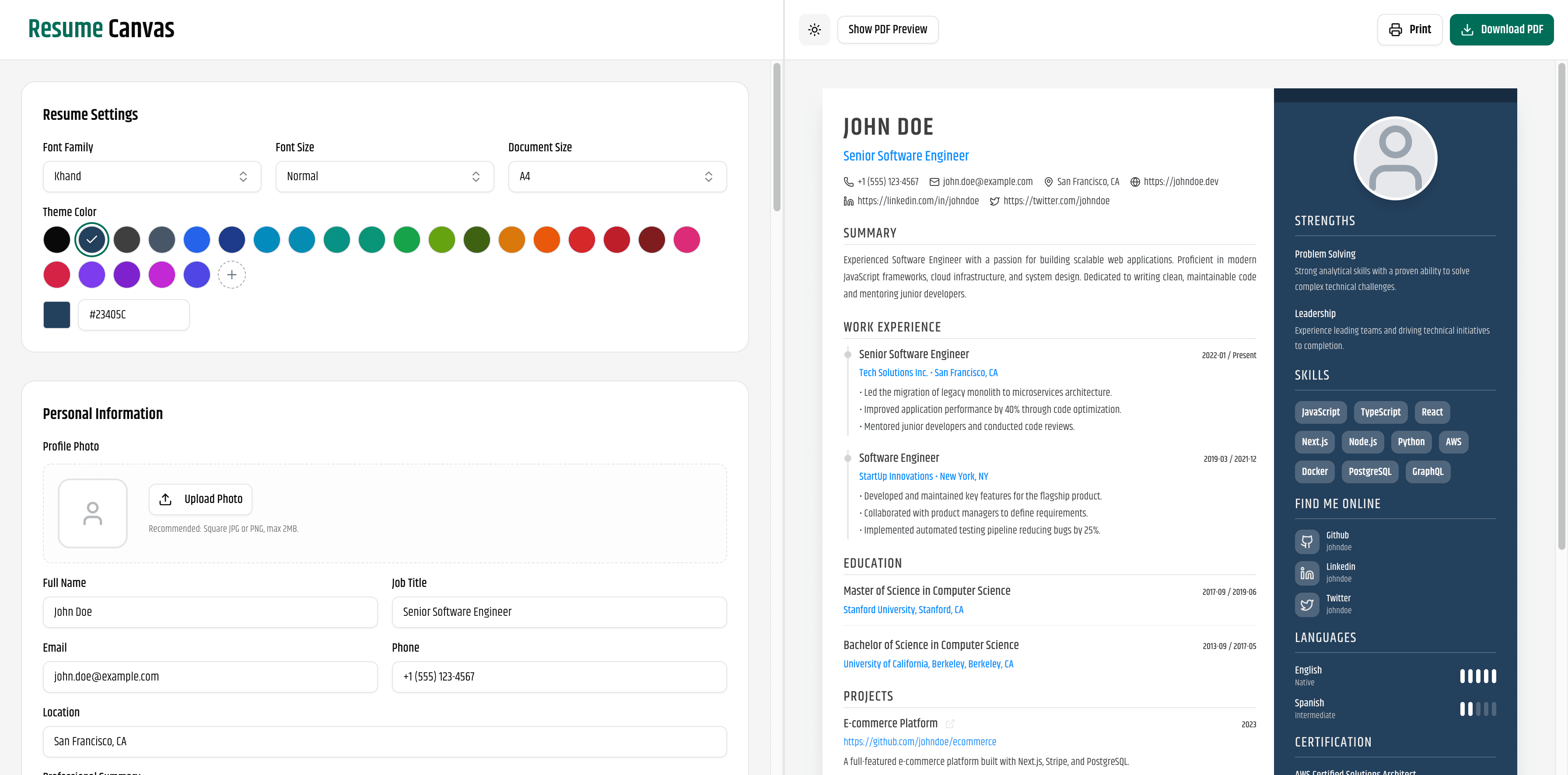
👀 Real-time Preview: See your changes instantly as you type.
🔒 Privacy First: All data is stored locally in your browser (Local Storage).
📄 PDF Export: High-quality, selectable, and ATS-friendly PDF generation using
@react-pdf/renderer.🎨 Customization:
Multiple fonts (Google Fonts integration).
Custom theme colors.
Adjustable font sizes and document margins.
🌗 Dark/Light Mode: Fully supported dark mode for late-night editing.
📱 Responsive Design: Edit your resume on the go with a mobile-friendly interface.
🧩 Drag & Drop: Reorder sections easily (Coming Soon).
📸 Screenshots
Light ModeDark Mode
Press enter or click to view image in full size

Press enter or click to view image in full size

🛠️ Tech Stack
Framework: Next.js 15 (App Router)
Language: TypeScript
Styling: Tailwind CSS
UI Components: Shadcn/UI & Lucide React
State Management: Zustand
PDF Generation: @react-pdf/renderer
Forms: React Hook Form
🏁 Getting Started
Follow these steps to set up the project locally on your machine.
Prerequisites
Node.js 18+ installed
pnpm (recommended), npm, or yarn
Installation
Installation
Clone the repository:
git clone https://github.com/kstmostofa/resume-canvas.git cd resume-canvas2. Install dependencies:
pnpm install
# or
npm install
3. Run the development server:
pnpm dev # or npm run devOpen your browser: Navigate to http://localhost:3000 to see the application running.
🤝 Contributing
Contributions are what make the open-source community such an amazing place to learn, inspire, and create. Any contributions you make are greatly appreciated.
Fork the Project
Create your Feature Branch (
git checkout -b feature/AmazingFeature)Commit your Changes (
git commit -m 'Add some AmazingFeature')Push to the Branch (
git push origin feature/AmazingFeature)Open a Pull Request
📄 License
Distributed under the MIT License. See LICENSE for more information.
🙏 Acknowledgments
Shadcn/UI for the beautiful component library.
React PDF for the powerful PDF rendering engine.
Lucide for the clean icons.
Made with ❤️ by Md Mostafijur Rahman